Track record
Know how your forecasts perform, not just what they say.
Every EV charging pro forma is a guess about construction cost, the utility and how many drivers will plug in. KiloPlot keeps the guess and the outcome side by side for every project, and rolls them into a track record you can show investors, lenders and your own team.
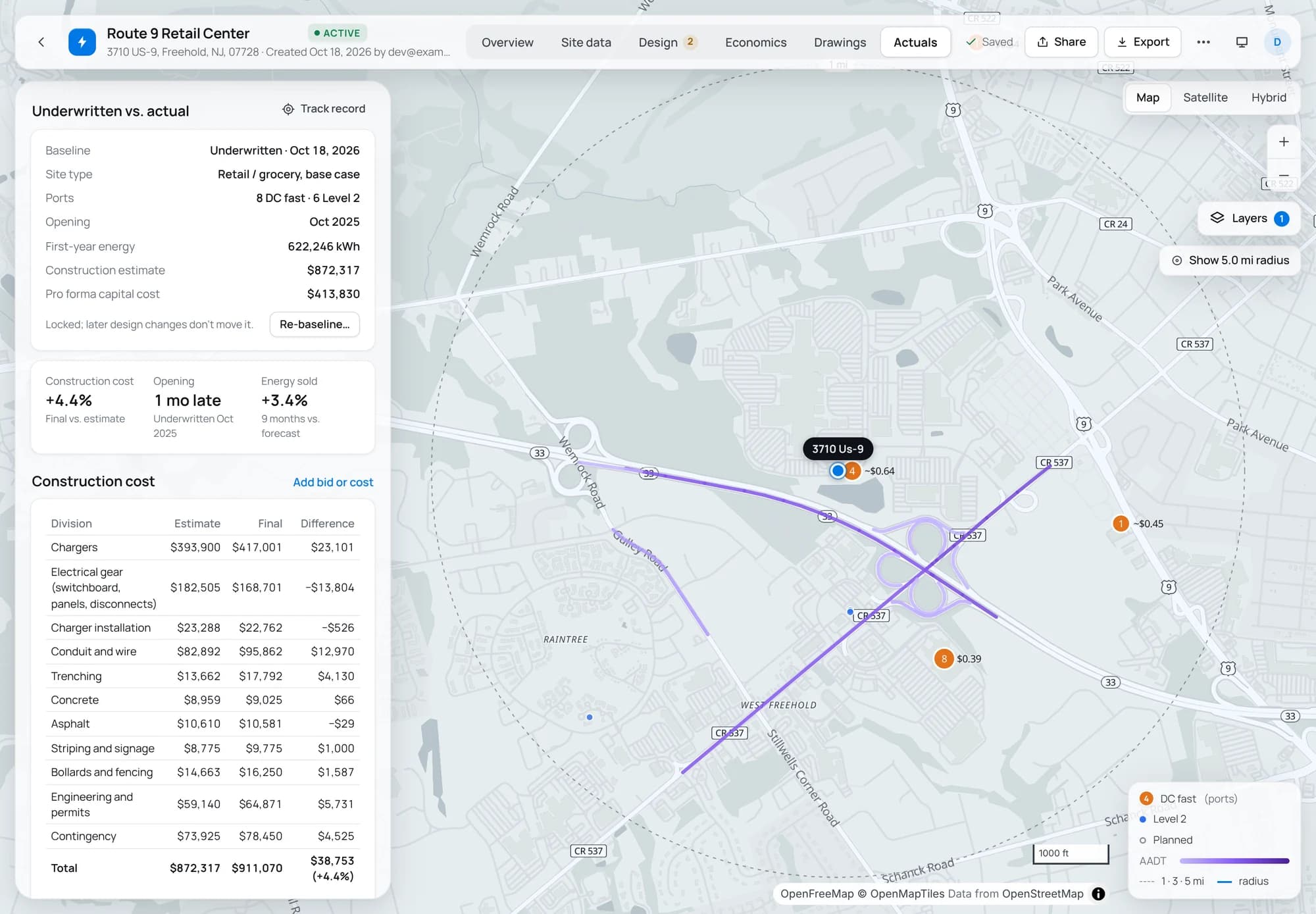
One tab per project, four things to fill in.
- 1
Lock the baseline
When a project is underwritten, one click saves what it was approved on: the monthly forecast, the pro forma and the construction estimate by division. It can't be edited afterwards. Redesign and you re-baseline; the history is kept.
- 2
Add bids and the final cost
Enter each bid, the contract, change orders and the final cost, split by the same divisions as the estimate (chargers, gear, trenching, concrete and so on), or as a total.
- 3
Log the utility timeline
Application, approval, energized and open dates, whether the utility required an upgrade, what it cost you and the make-ready credit received.
- 4
Import charging data
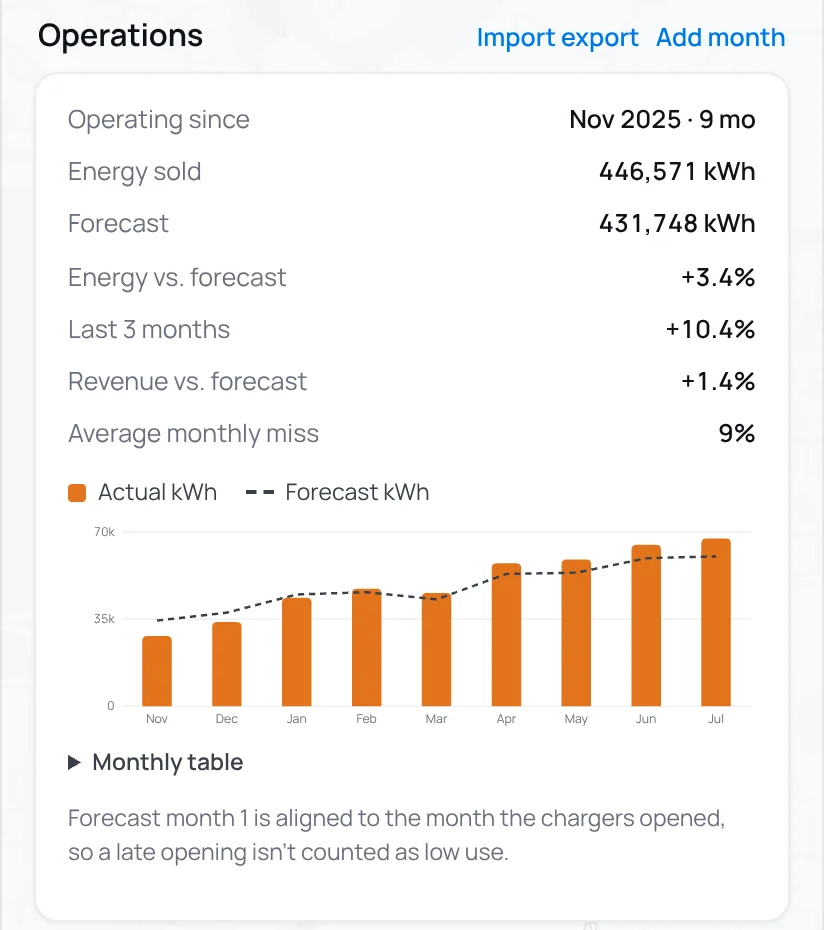
Drop in your charger network's session or monthly export (CSV or Excel). We find the date, energy and revenue columns and keep monthly totals. Or type the months in.
Forecasts lined up with the month the site actually opened.
Sites open late. If the forecast's first month were compared with a month the chargers weren't running, every site would look like a miss. We line the forecast up with the actual opening, then compare energy, sessions and revenue month by month, and show where the latest three months are heading.
Only monthly totals are stored. Driver and session details from your network export stay out of the system.
The questions your track record answers
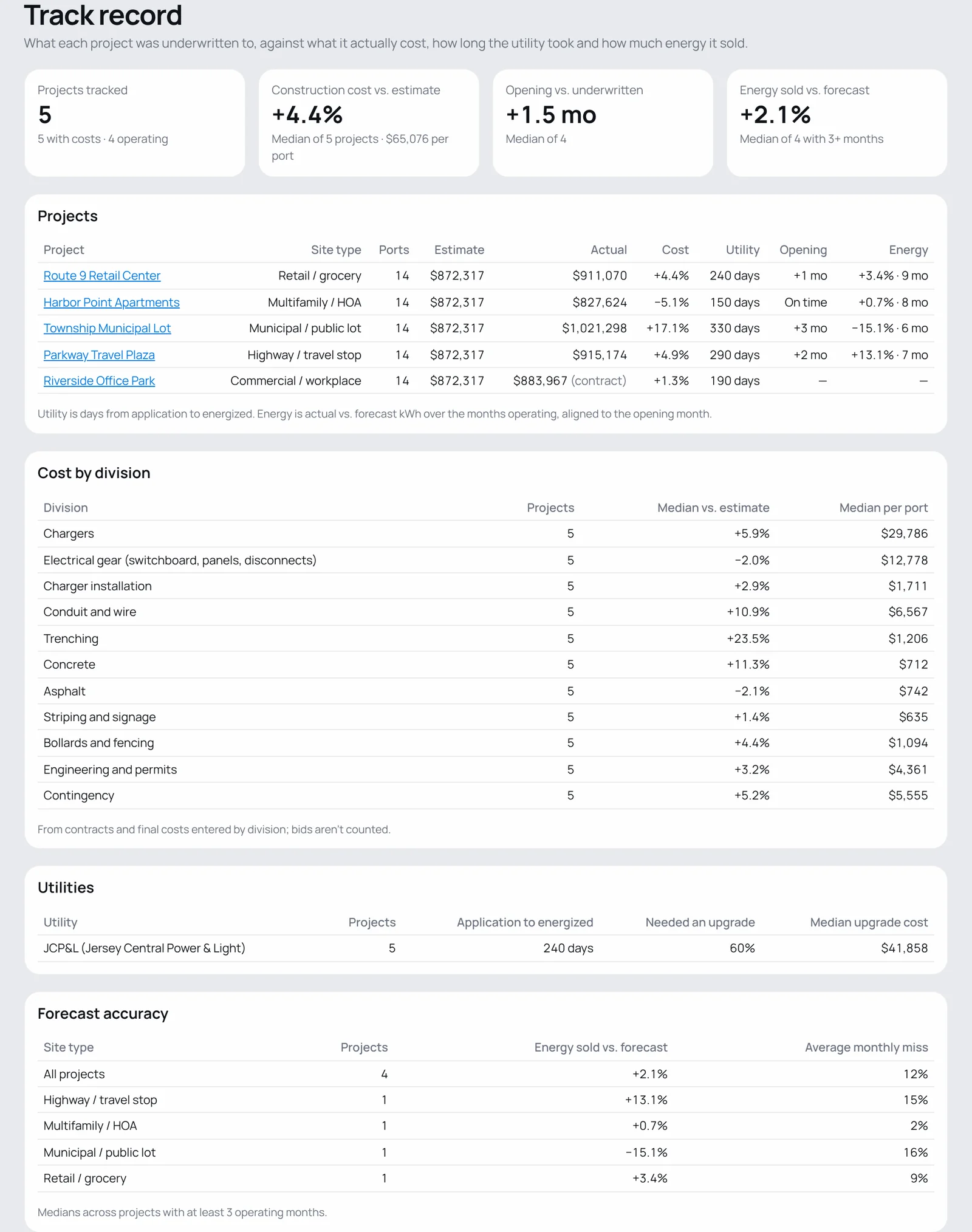
Which estimate lines run over?
Median variance by division across your contracted and completed projects, and the actual cost per port.
How long does this utility really take?
Median days from application to energized for each utility, how often it required an upgrade, and the typical upgrade cost.
Are our forecasts any good?
Actual vs. forecast energy by site type, with the average monthly miss, from every site with three or more months of operation.
Did this site open on time?
Months late or early against the underwritten opening date, project by project.
Benchmarks
Better with every project, yours and the industry's.
Your track record is private to your company. Owners can choose to contribute anonymized, combined outcomes to industry benchmarks for construction cost and utility lead times. Project names, addresses and company details are never shared, and you can stop contributing at any time.
Start a track record with your next site.
Underwrite it, lock the baseline, and add the bids when they come in. Free for three projects.